On this page
Prompt is now ActionPop. Same app, same campaigns, new name.
It also comes with the biggest release we've shipped for it. 3 games, 100+ templates, campaigns that sit inside your page rather than on top of it, and real discount codes handed out one per person.
The old name said where it showed up. The new one says what it's for, which is the moment you interrupt someone and what you earn for it.
That moment is worth more than we expected. Across our platform, ActionPop campaigns have influenced $35M in merchant revenue, more than any other assisted channel we run and 25 times the recommender's.
The addresses those popups capture keep paying afterwards too. A delivered email is worth $2.16 blended across 20.73M sends, and if it's a restock alert to someone who asked, $54.37.
A popup is the cheapest thing on your site. It's also what feeds every email you send after it.
Nothing you built moved. Your campaigns, stats and integrations are where you left them, and old bookmarks still resolve, so a link to /prompts lands on /actionpop-campaigns on its own.
Let me start with the one play I'd build first, because it's the clearest example of what all of this is for.
The Scratch Card play I'd build first
4 screens. A scratch card, an email, a phone number, then the prize.
It's the one I'd put in front of a merchant first, and the reason is entirely in the order.
Take Jewelry Scratch Card from the template gallery. It runs on what we call a play, a fixed order of screens with the offer already built in.
Screen 1 is a mystery prize. Nothing scratched, nothing revealed, and no form in sight.
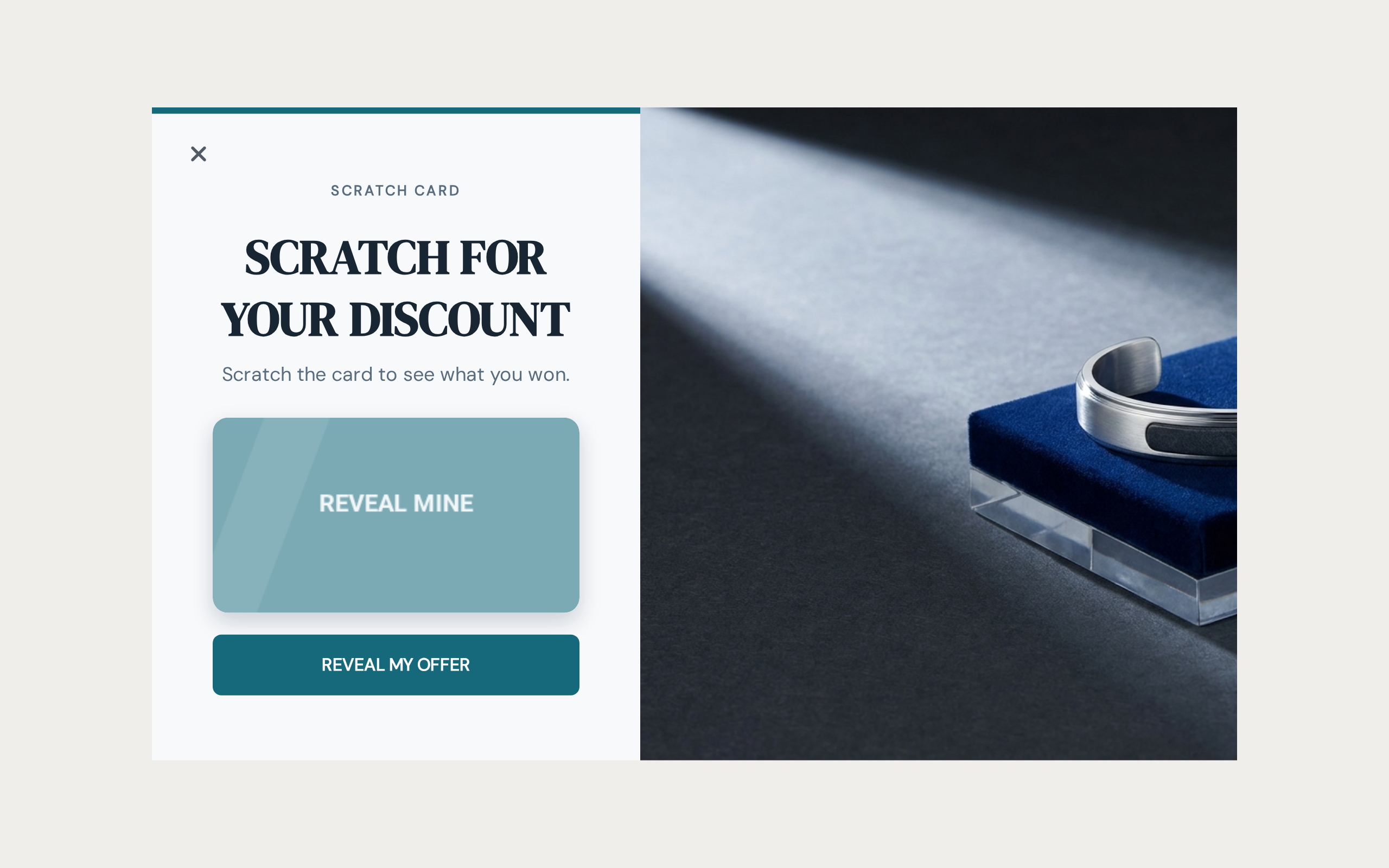
Screen 1, the card before it's scratched.
Screen 2 asks for an email. It's the cheapest thing to ask for and the first thing anyone gives up.
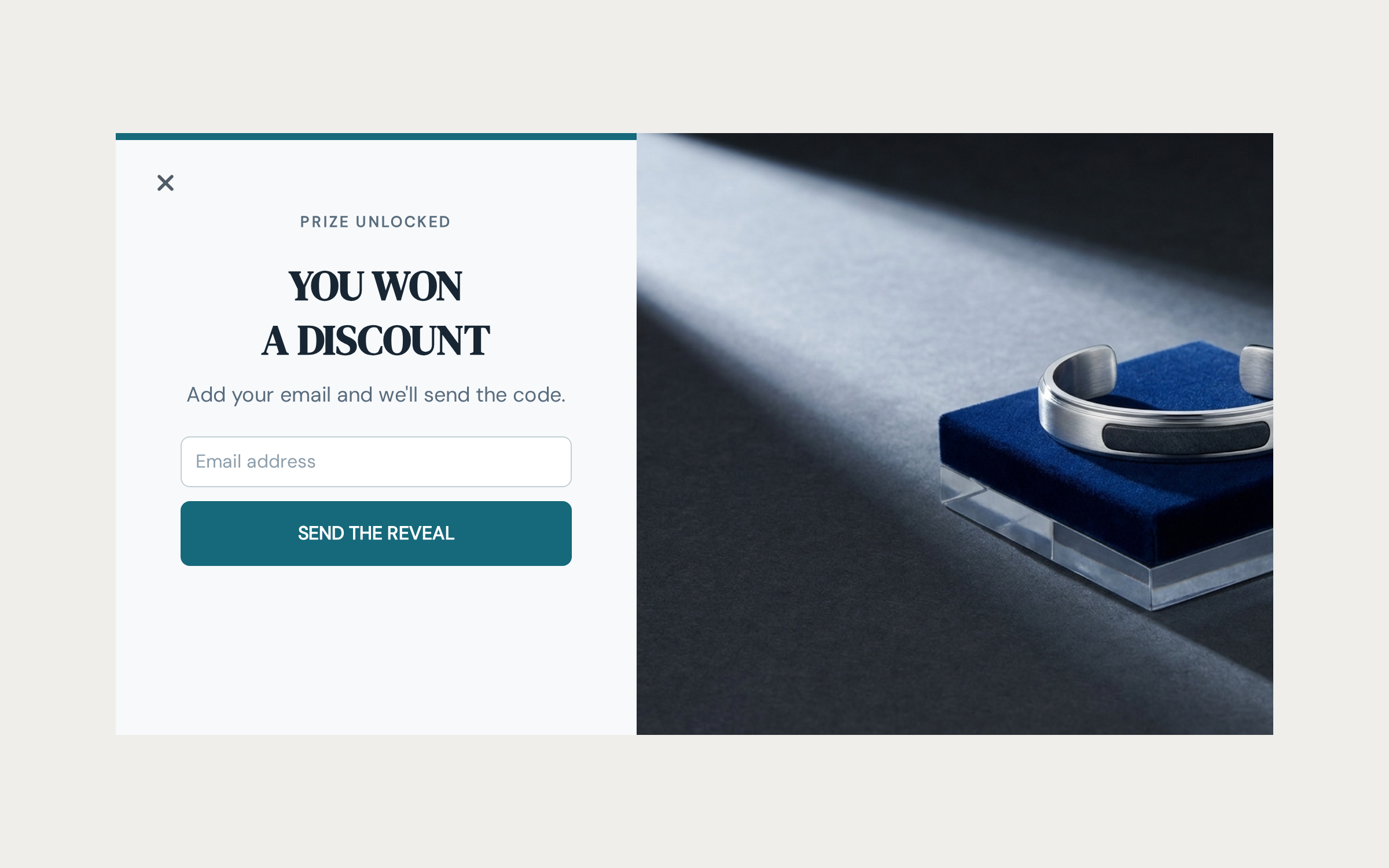
Screen 2, taking the email.
Screen 3 asks for a phone number. Not beside the email on screen 1, where almost nobody hands one over. It's asked one click away from a prize the visitor already knows they've won and doesn't yet know the size of.
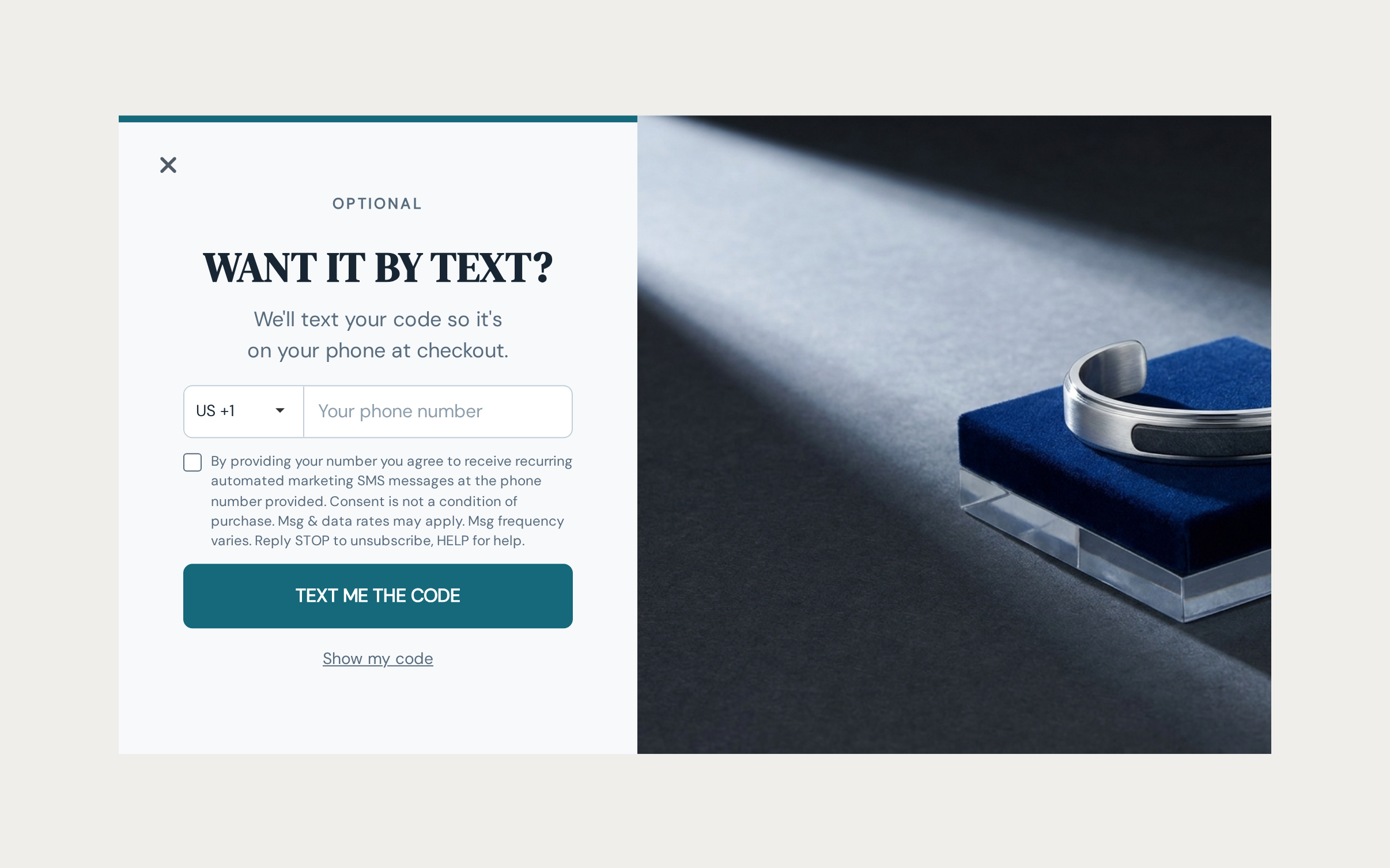
Screen 3, asking for the phone number.
Only on screen 4 does the card reveal what they actually won, with a real code and a Copy button.
The discount is what buys the phone number. Resolve the mystery on screen 1 and the whole thing collapses, because the unresolved prize is the only reason anyone sits through the rest of it.
That ordering isn't a style choice. It's the mechanic.
And the phone number is the part worth caring about. It arrives with a real consent grant recorded against the channel you asked for, storing the exact wording the person agreed to. So it's a number you can actually message later, not a string sitting in a field.
Swap the scratch card for a Spin Wheel and the same 4 screens work. The card suits asking after the win, the wheel suits asking before the spin, and I'll come back to why below.
Spin Wheel, Scratch Card and Pick a Gift
3 games you can drop straight into a campaign.
Spin Wheel is the classic. You set the slices, the prize on each one, and the odds each will land. Visitors spin, the wheel stops, they win.
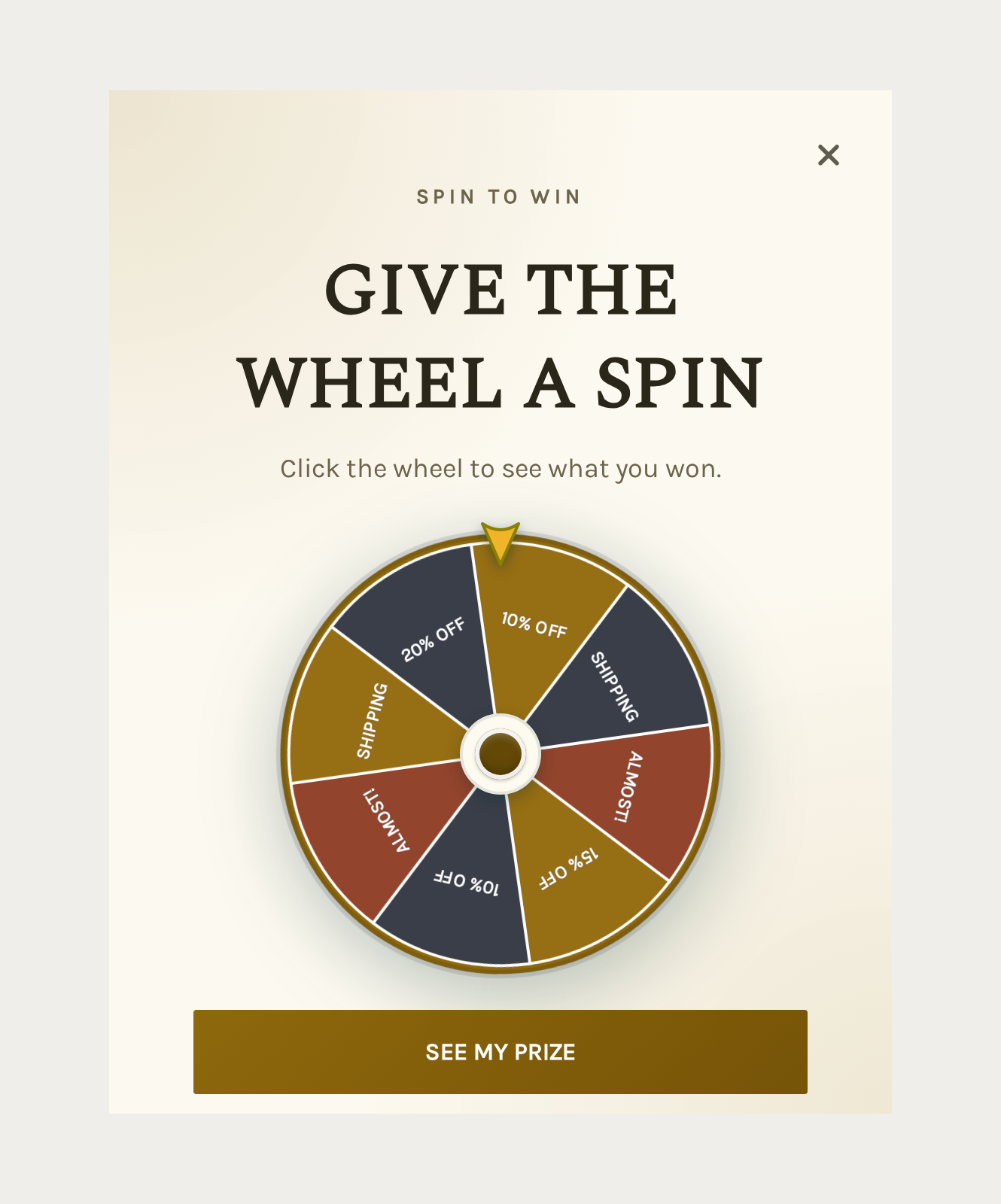
A Spin Wheel campaign. You set the slices, the prizes and the odds.
Scratch Card hides a prize under a coating the visitor scratches off. Pick the coating color and how opaque it is, or upload your own artwork for the card face.
Pick a Gift is a row of boxes. The visitor picks one and it opens.
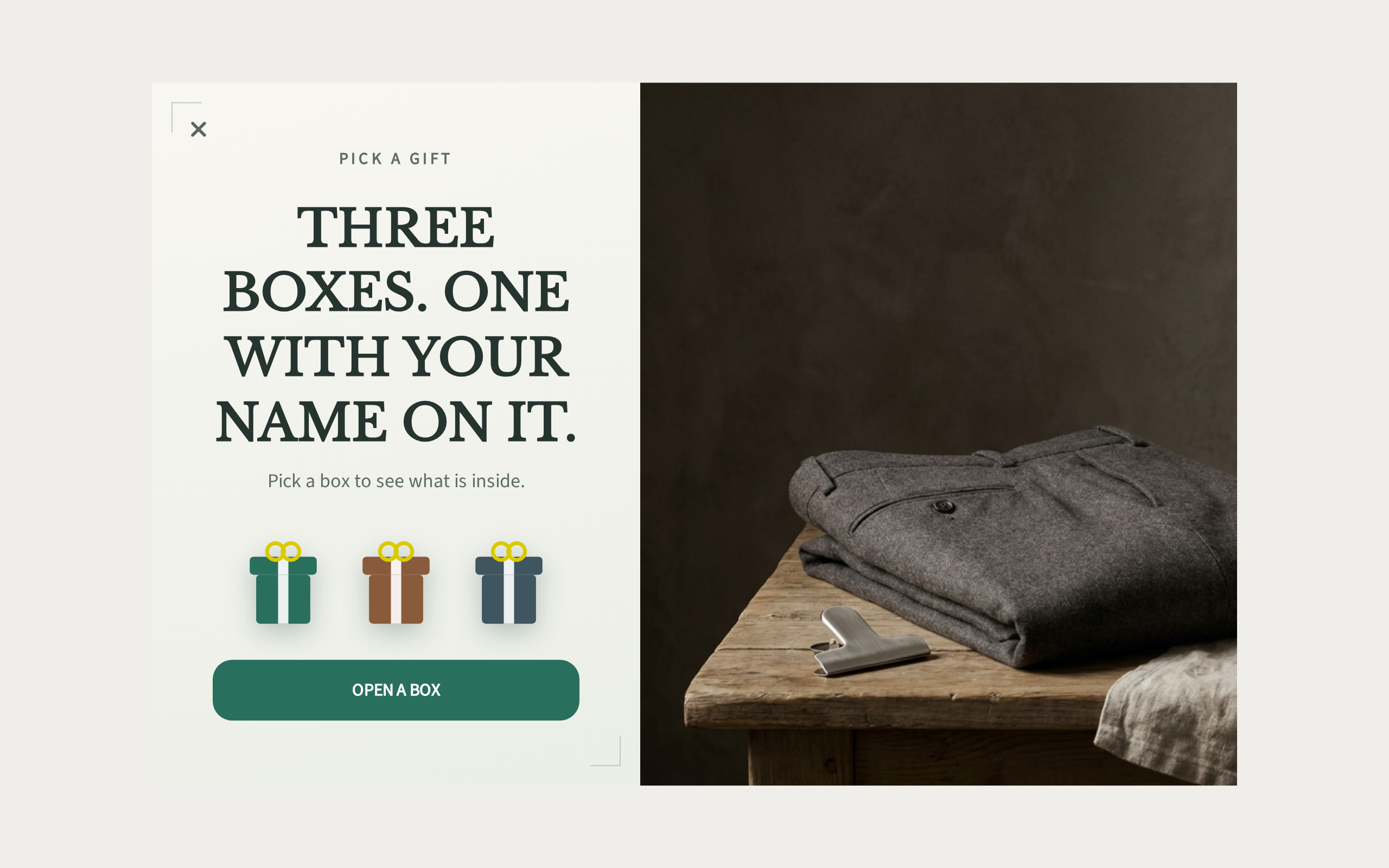
A Pick a Gift campaign, one box already opened.
All 3 share the same reward setup underneath, so switching games doesn't mean rebuilding your prizes.
Ask before the play, or after the win
Every game asks you one more question: collect details before the play, or after the win?
Before suits the wheel, since committing to spin already signals intent. After suits the scratch card and the gift boxes, where nobody wants to walk away from a prize they've already won.
It's one setting, and the whole flow rebuilds around it.
Run it both ways on the same campaign. It costs you a click to switch, and your own numbers will settle it faster than my opinion will.
100+ templates, built from 14 plays
Most popup libraries are a color swap: same box, same "get 10% off," 40 versions of it. Ours isn't. What varies between our templates isn't the palette, it's what the popup asks for and in what order.
Almost all of them come from just 14 plays, mystery reveal among them. The rest are older, hand-built templates we kept because they still pull their weight. We're adding more.
A play owns the order: the offer, the mechanic, the number of screens, every word of copy. A theme owns none of that, only the palette and the type. Pair any play with any theme that renders what it needs, and the same mystery reveal shows up as luxury skincare or as salad delivery, screen for screen identical.
Which is also why we didn't just generate 900 of them. If 2 templates share the same copy and the same palette, and neither has a photo, they're the same template with a different name. A gallery full of those wastes the one thing it's supposed to give you: something worth browsing.
Every template has its own public page too, screens and flow visible before you install anything, no login wall. Send one to a colleague and they land on the actual thing.
So pick by what you're short of, not by what looks good. Short on phone numbers? Take a play that earns them on screen 3 instead of demanding them on screen 1.
Want emails and nothing else? Take a short acquisition play, because every extra screen costs you people on the way through.
Save the game for when your offer is the draw rather than your brand, and you need someone to stop scrolling before they'll read anything at all.
Nothing is locked once you install it either. Change the copy, the colors, the number of screens. A template is a starting point, not a cage.
Embed it in your page, not just as a popup
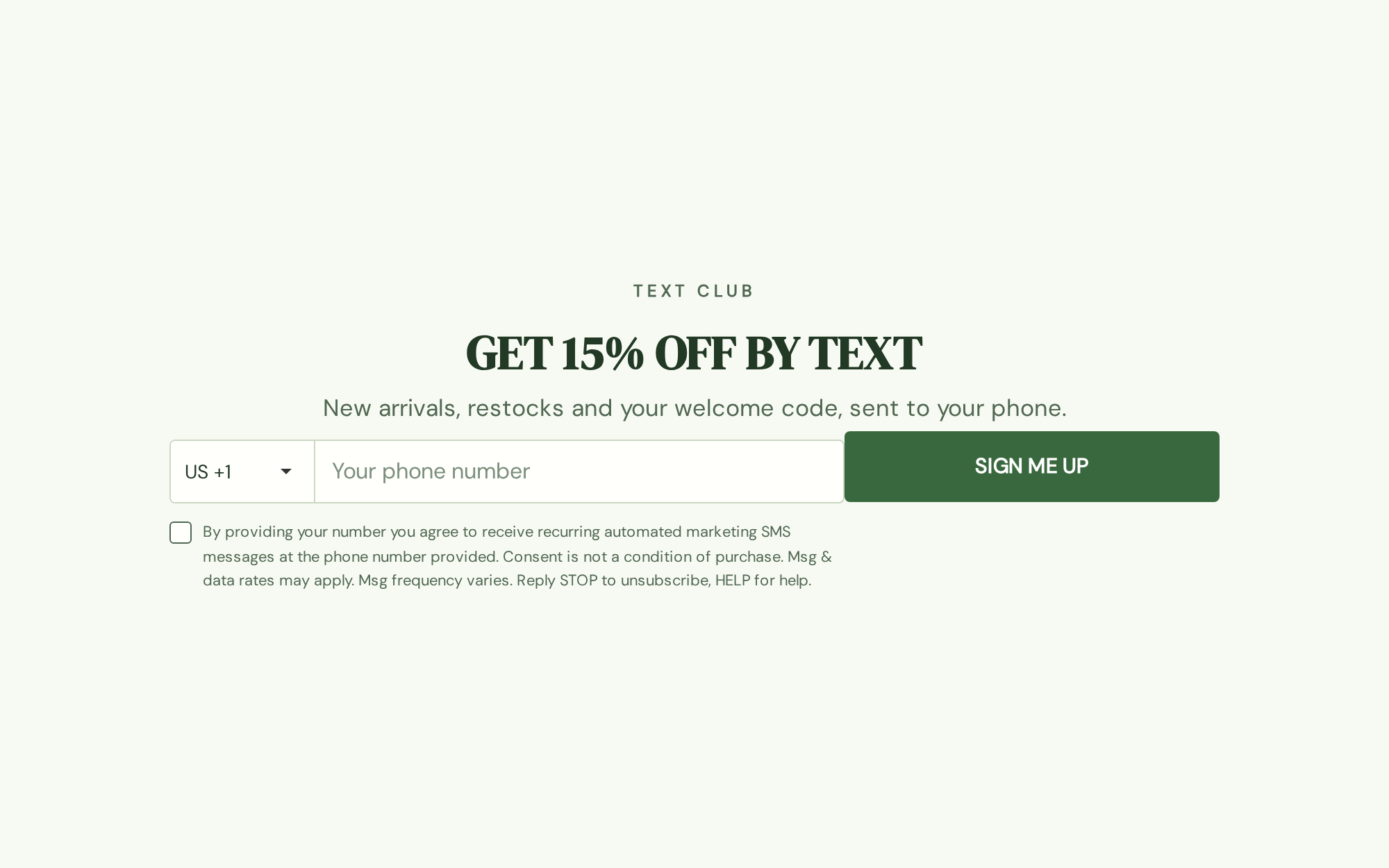
This is the one that changes what ActionPop is for.
A campaign used to be an overlay only: it showed up at a moment you picked, then went away. Now you can set it to show as an embed instead. It lives inside your page and stays visible the whole time, with no timing rules and no frequency cap to wait on.
The obvious use is an inline signup form dropped into a blog post or a footer. Same builder, same fields, same reward logic, same reporting as your popups. Build it once, and it doesn't matter whether you show it as an overlay or in the page.
It doesn't stop at forms either. A quiz, a rating, a spin wheel can all sit in the page instead of on top of it.
Getting it onto the page is point and click. Use the Placement Tool and it fills in a CSS Selector for you. Already know the selector? Type it by hand. Or paste a one-line snippet into your theme wherever you want it. If you're on Shopify, add the ActionPop Embed app block in your theme editor and paste in the Campaign ID instead, no selector needed.
One thing we were deliberate about: if a placement can't be resolved on a page, the embed just hides. It never falls back to dumping itself at the bottom of the page, which is what makes an embedded widget look broken.
A coupon block that hands out real codes
There's a new Coupon element too: a real discount code inside the popup, with a Copy button next to it. Codes come from your store, one per person, handed out as people earn them.
We get asked why we don't mint a fresh, single-use code for every recipient of a broadcast email the same way. Short answer: the math doesn't work.
Send an email to 50,000 people. Only a fraction click, and only a fraction of those redeem. You'd mint 50,000 codes in your store to serve hundreds of actual redemptions, and codes don't clean themselves up. Do that every week for a year and your Discounts admin can't be searched anymore.
A popup is different. One visitor, one moment of commitment, one code, and the offer and the code live in the same block, so they can't drift apart. That's the case a unique code is actually for, which is why we built it here instead of in the email editor.
3 new things you can ask for
Phone captures a number with a country selector, ready to message later.
Rating takes a star rating right inside the popup, good for a quick pulse check after a purchase.
Consent records a real grant against the channel you're asking for, storing the exact wording the person agreed to.
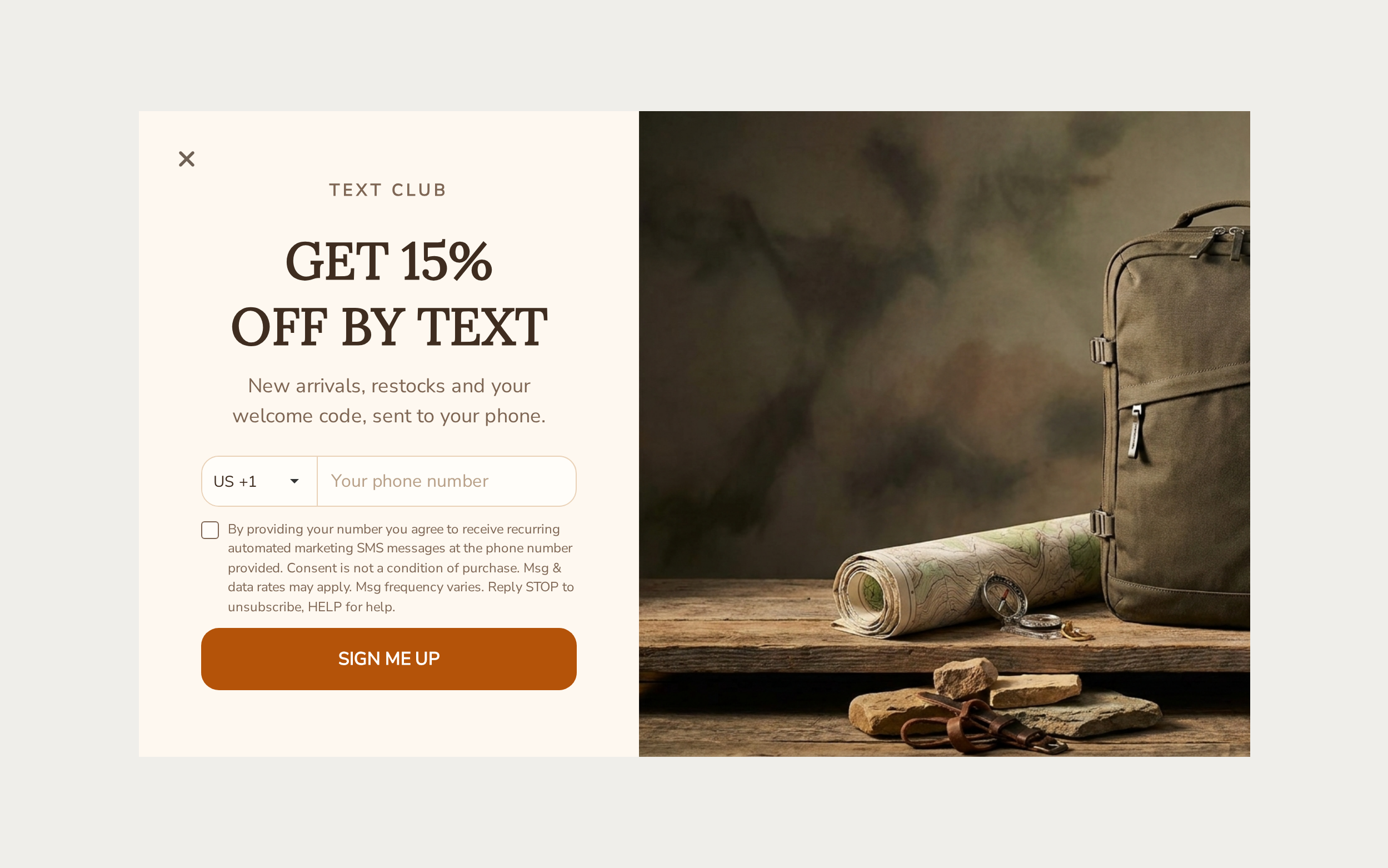
Consent is the unglamorous one and it's the one that matters most. A phone number with no recorded grant behind it is a number you can't safely use. This is what turns screen 3 of that play into an audience rather than a column in an export.
Turn a flat form into a short quiz
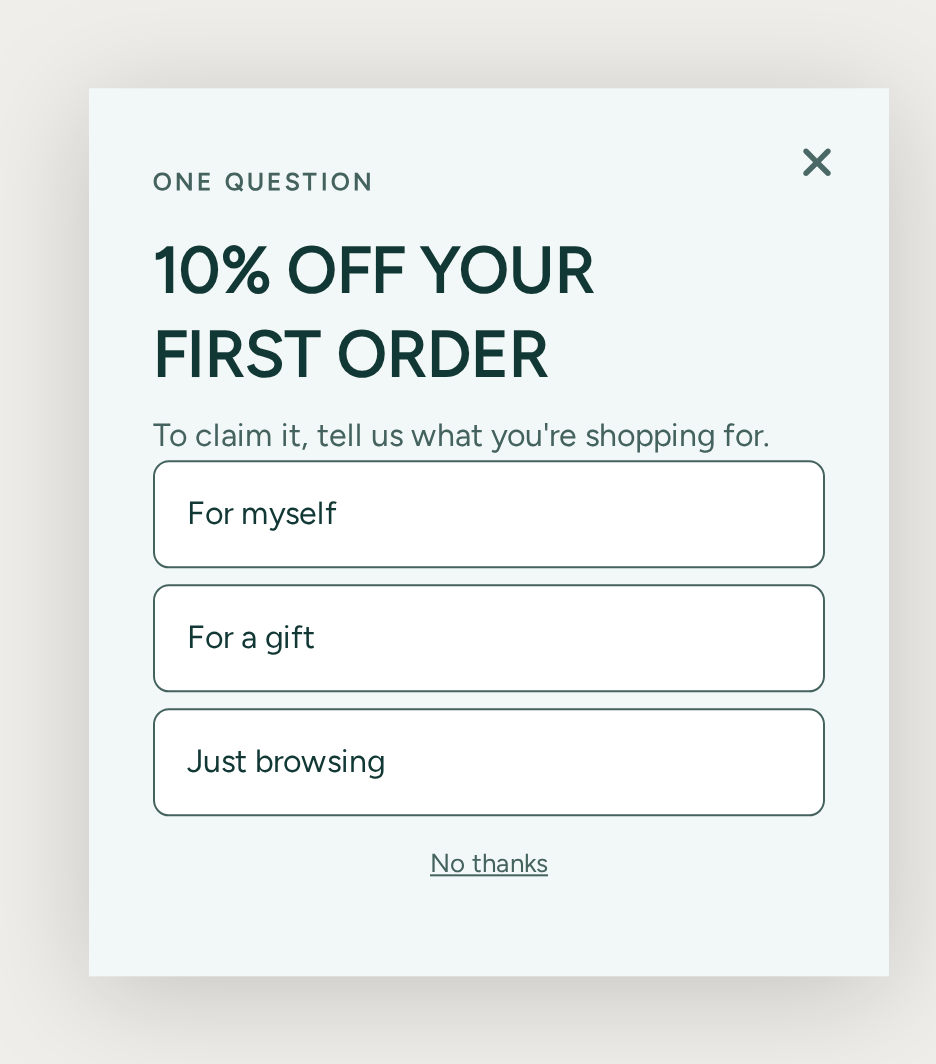
A radio option can now route to a different page. Answer A sends someone one way, answer B another, so you can qualify a visitor and show them a different offer based on what they just told you.
Pair it with the reveal and the offer stops being one-size-fits-all. Someone shopping for a gift can be sent to a different prize than someone buying for themselves.
Stop asking people who already finished
There's a new Completion Filtering setting under Settings > Behavior. Tick it and a campaign hides itself from anyone who's actually finished it.
Leave the page picker empty and finishing means getting through the whole campaign. Pick a page instead and you move the finish line earlier. That's what you want when an email is all you're really after and the reward screen is a bonus.
This replaces the old "already engaged" setting, which counted a single click as done. On a 4-screen play like the one above, that fired on the very first button. Someone who scratched the card and left was hidden from the campaign forever, having given you nothing.
We've moved existing campaigns across for you.
Save a page once, use it everywhere
Pages, rows and individual elements can be saved and dropped into another campaign.
Build your consent wording and phone screen once, get it right once, and stop rebuilding it every time you launch. It's a small thing that quietly decides whether you run 3 campaigns a year or 30.
Responses land straight away
Responses used to wait on a sync delay before they went anywhere. That's gone. A submission is processed as it arrives, so a workflow fires on the submit rather than minutes later.
That's the difference between a welcome email that reads like a reply and one that reads like a batch job.
Contacts captured by ActionPop now sync to ActiveCampaign, Brevo and Klaviyo as well, alongside your existing destinations. Connect once and map your fields.
The elements panel is grouped by what each thing does now, with a search box, so typing "wheel" finds the wheel before you know which group it lives in.
Marketing Platform got a piece of this too
A row or block in an email can now be shown or hidden per recipient.
Gate it on a contact property or a segment. Or on an activity in a timeframe you set, or a linked record on their profile. One send, many versions: greet a first-time buyer differently than a repeat one, or drop a section entirely for anyone who already redeemed the offer.
There's a matching Coupon block for email as well, styled with a dashed code chip.
A shared image picker now sits behind every image field in the editor, across Marketing Platform and the app emails for Reperks and Reviews. Upload your logo once, and stop re-uploading it into every product's own editor.
Worth doing today
Open a campaign and try one of the games. Or start from the template gallery and pick the play built for what you're actually short of, phone numbers or just attention.
If there's something on this list you want running and aren't sure how to set up, reply to this and we'll walk you through it.