On this page
Many merchants wonder why OnVoard didn't provide a lead capture tool for our email marketing app. The main reason for the hold-up is because I wanted to build an enterprise-level popup tool to elevate how our merchants collect leads and upsell products similar to standards set by the biggest ecommerce stores.

After months of hard work, I am excited to announce that OnVoard is releasing Prompt, a generational product that reinvents what you can think you could create with pop-ups. Beyond the role of collecting leads, Prompt is pushing the limits of what you can accomplish with pop-ups by helping you to increase store revenue with cross-sell product recommendations.
Here are some examples of Prompts that you can create
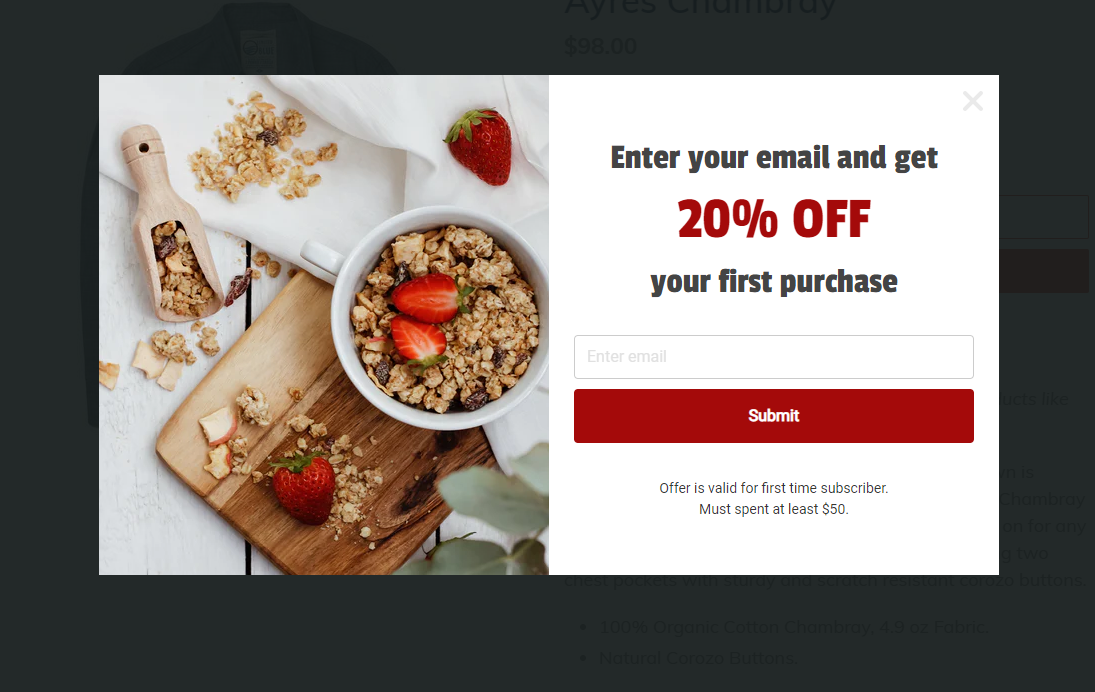
Welcome new users with a discount code for their first purchase.
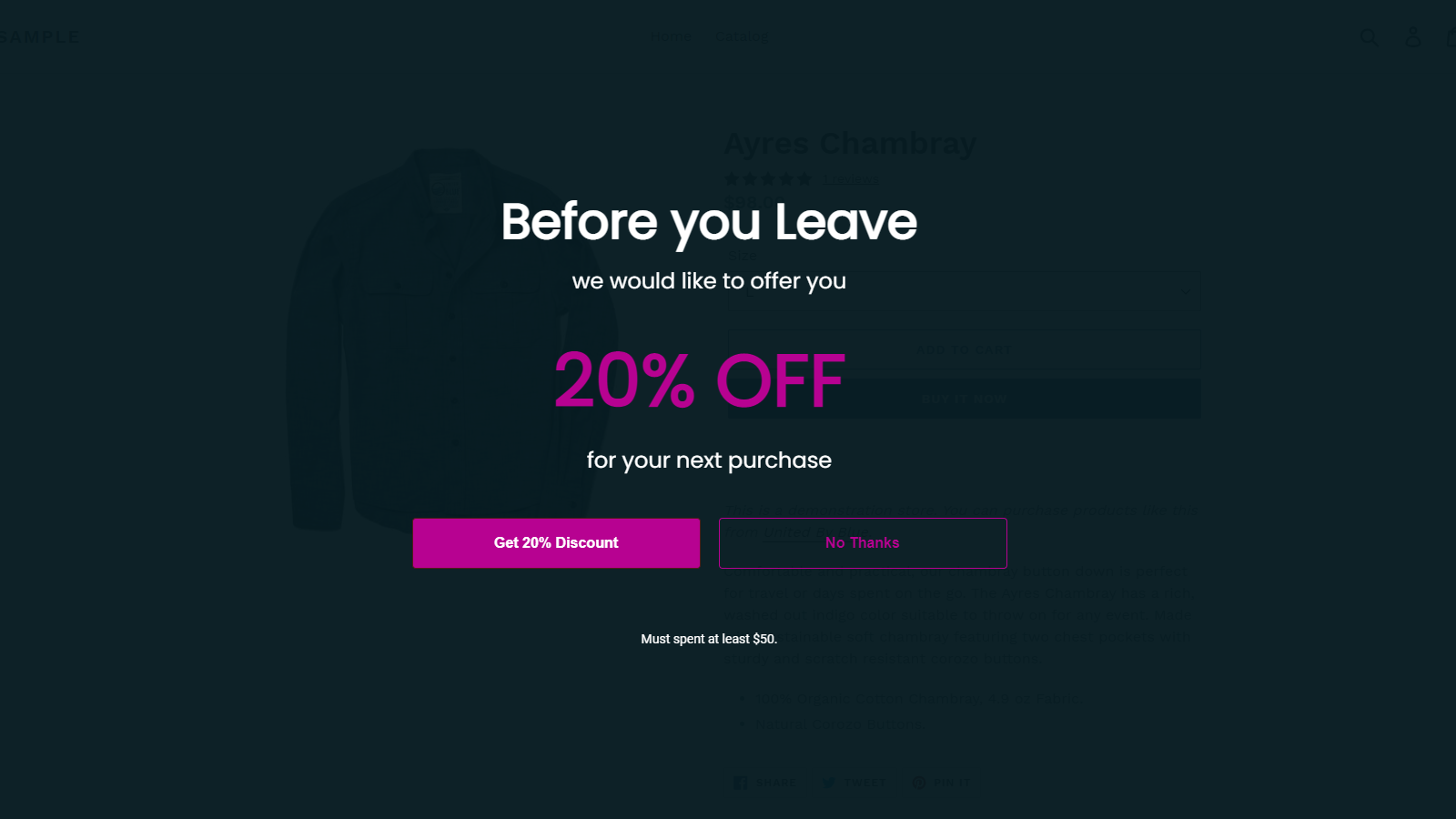
Stop cart abandonment when a user with cart items tries to exit.
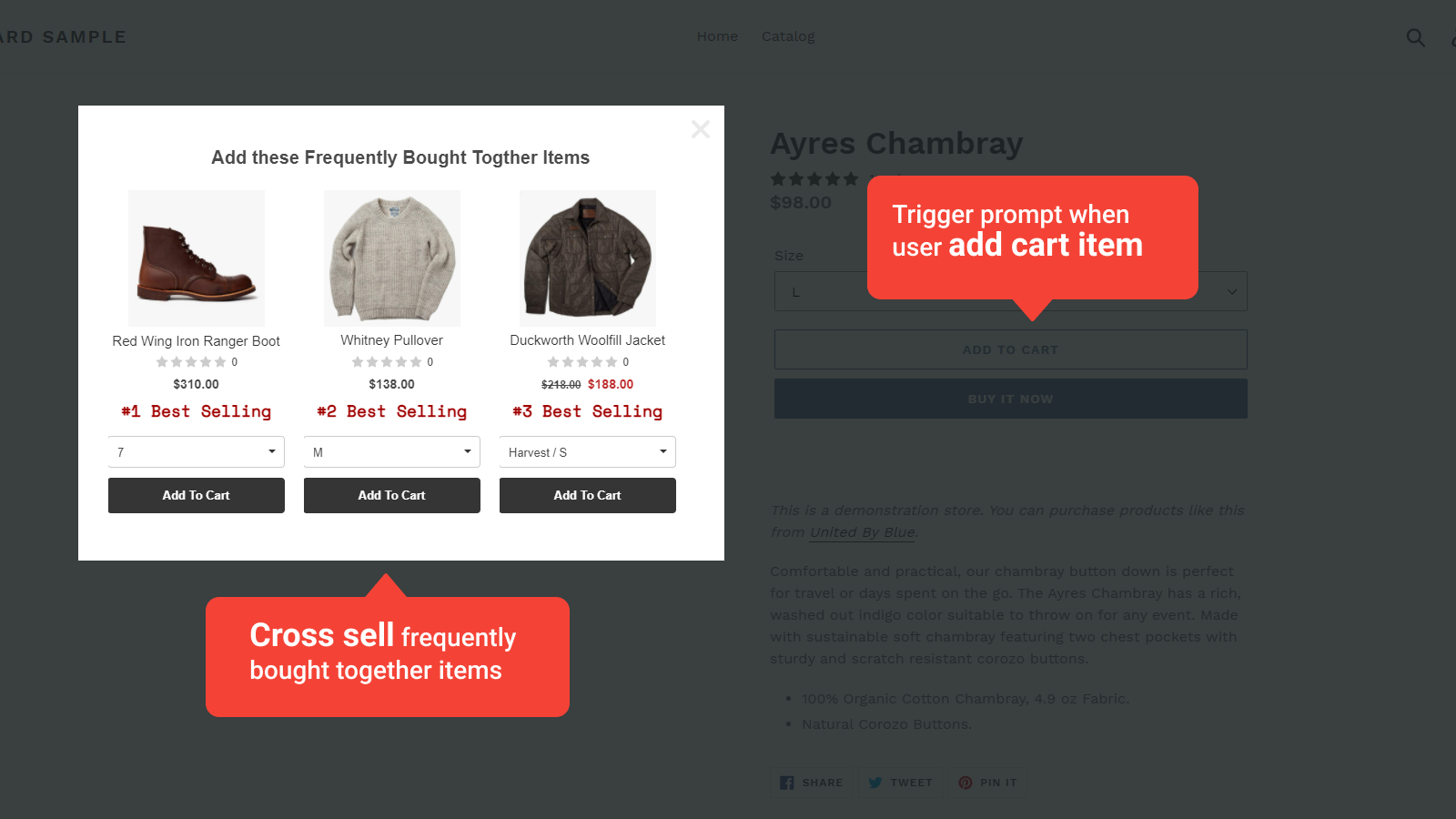
Recommend frequently bought together products when user add cart item. Paired with OnVoard Recommender app.
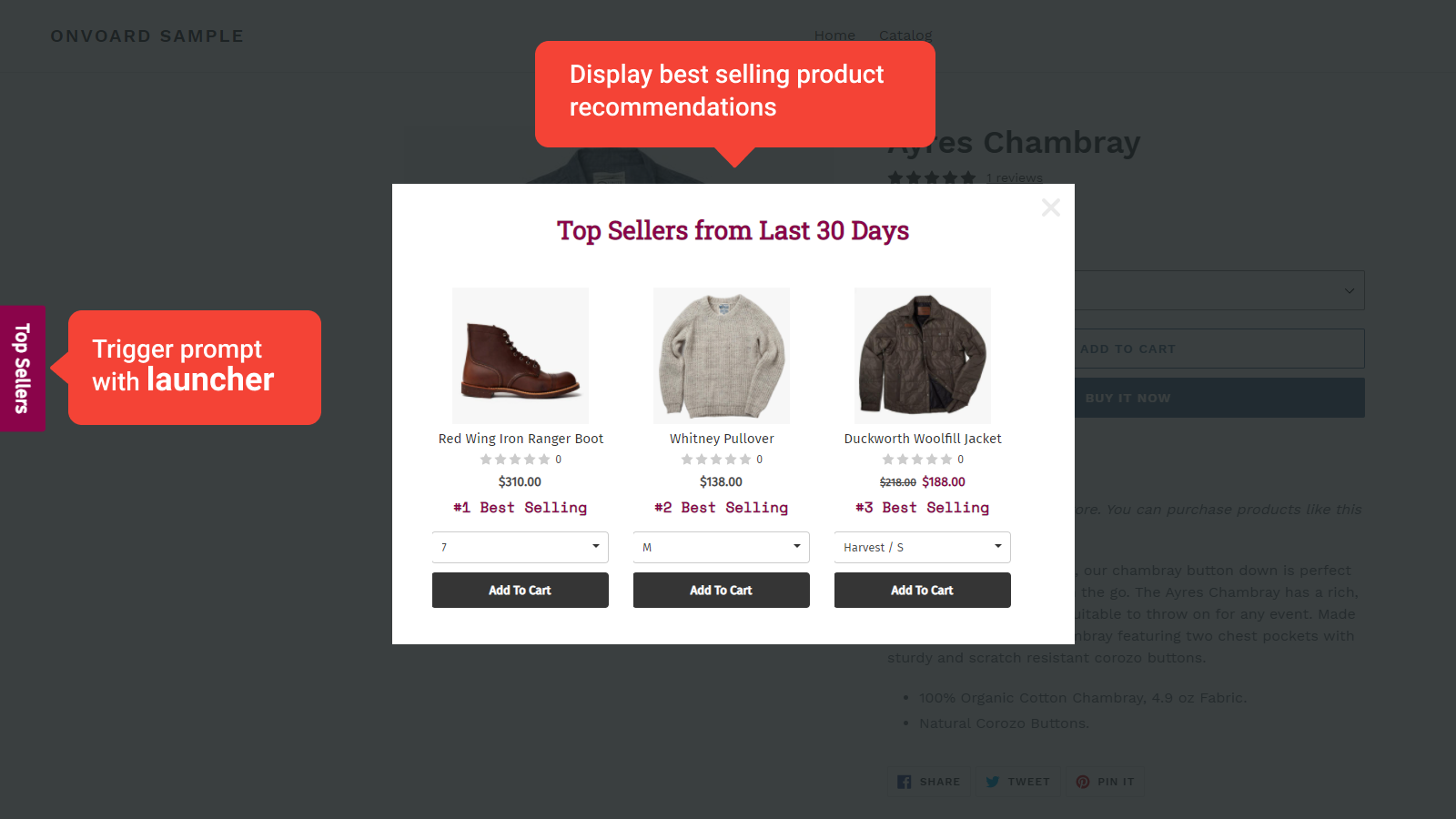
Display product recommendations like best selling, discounted items, recently viewed etc. Paired with OnVoard Recommender app.
Other use cases
Cross-sell products when user initiate checkout.
Collect feedback.
Key Features
Below are the key features for OnVoard Prompt.
1) Full Customization with Editor
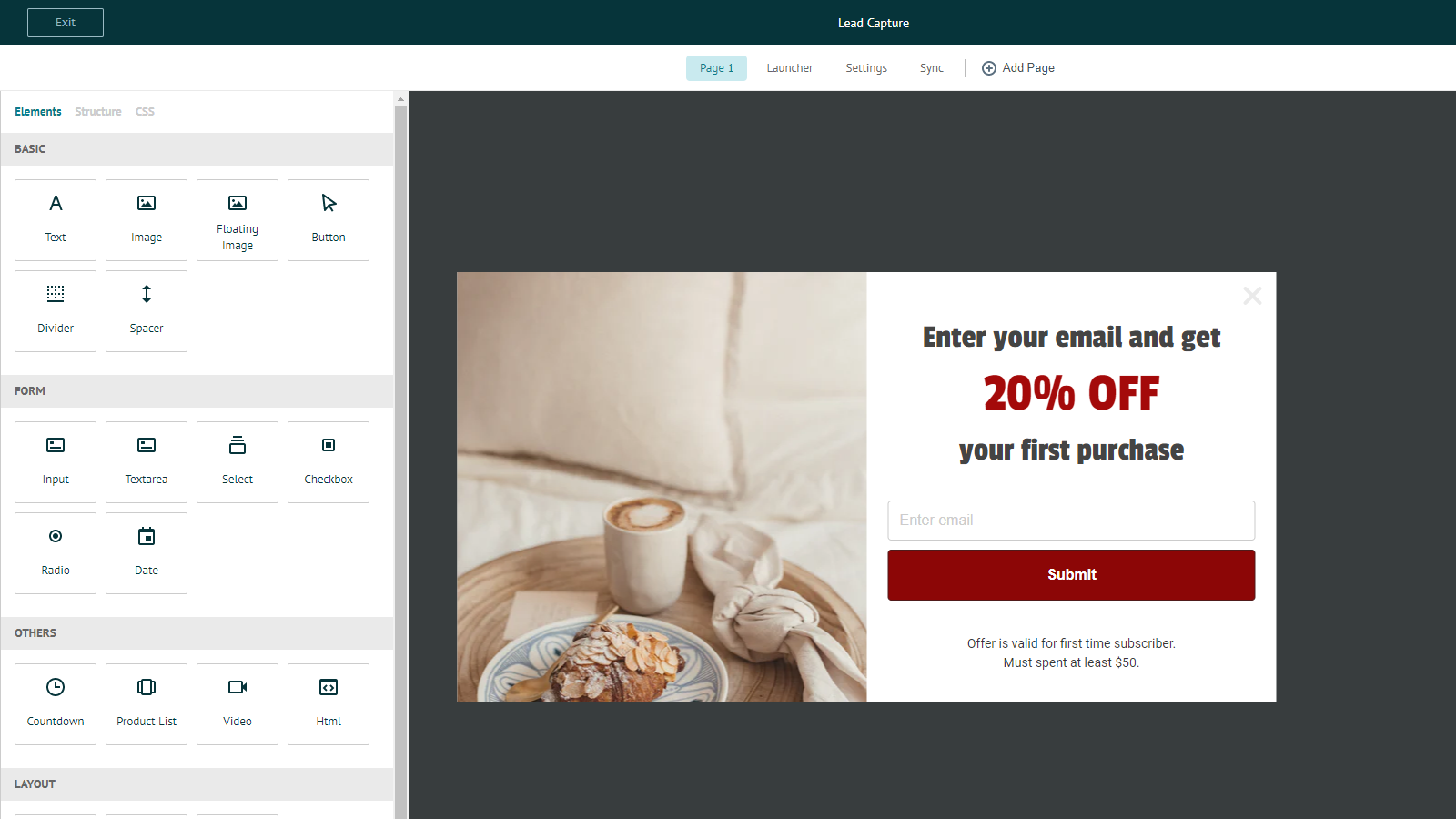
Many pop-up vendors only allow you to customize content within a fixed template. With Prompt's editor, you can fully customize pop-ups from the ground up. Every row, column, and block can be customized. Merchants now have full control to craft pop-ups that match store design.
2) Template Library
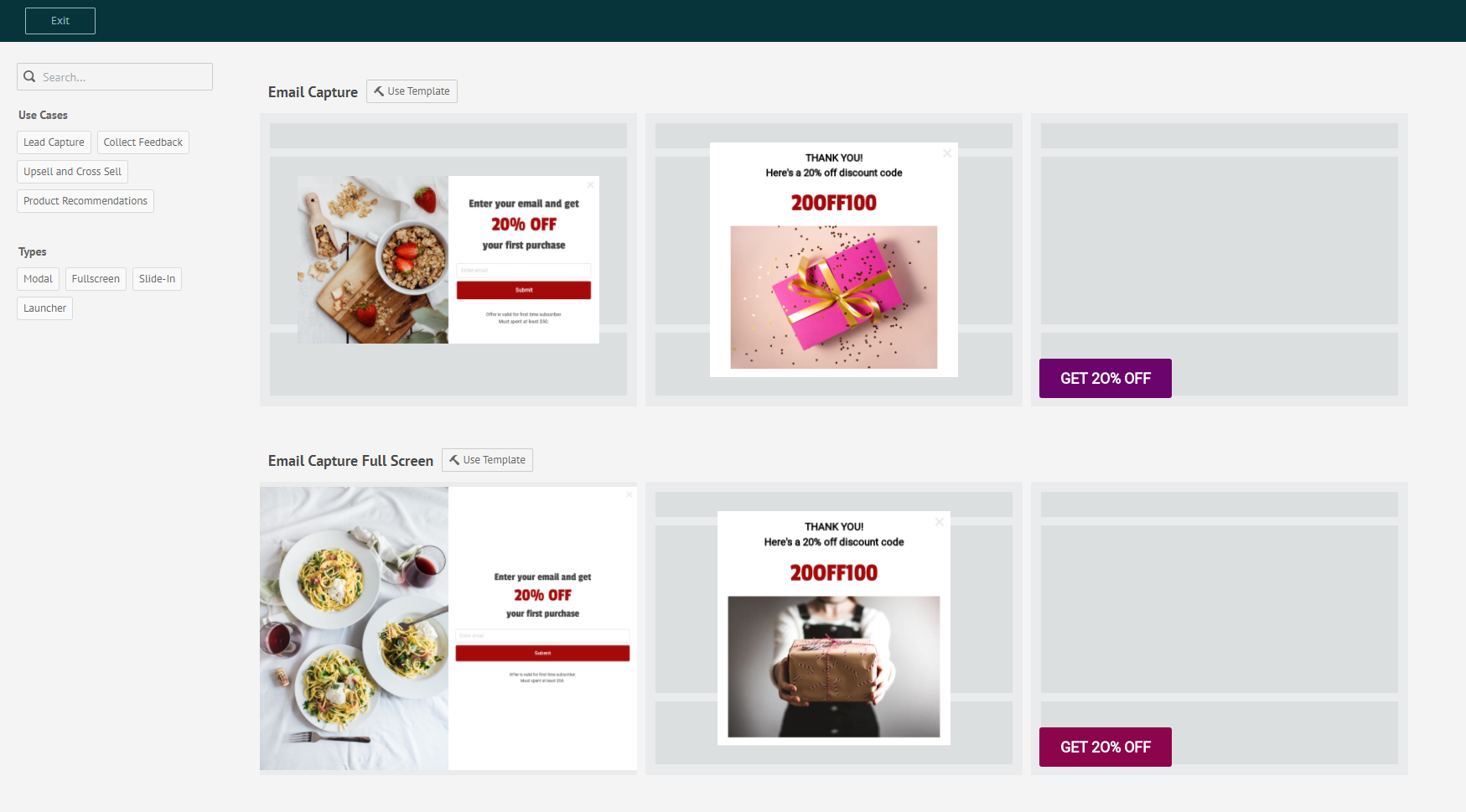
Don't be daunted by the challenge of designing pop-ups from scratch. Pick one of our pre-built templates and click Save. That's how easy it is to get started.
3) Powerful Filtering for Segmentation
Display prompt to the right audience with our filtering tool. Some examples of how you can target users.
Filter by Frequency - Generate less annoying pop-ups by showing to users who've not seen any pop-ups within the last X mins.
Filter by Contact Properties - Winback customers by showing discount codes to logged-in users who've not placed any order within the last 90 days.
Filter by Ecommerce Properties - Increase AOV by displaying upsell prompt if cart amount is below $100.
Other filtering options:
Behavior & Prompt Activities
Cookie
Custom Properties
Device type
Location
Time on site
Page depth
Visitor type
URL & Referer URL
4) Ecommerce Triggers
Trigger prompt based on ecommerce activities on your site.
Add Cart Item (Trigger) - When a user adds an item to the cart, display product recommendations like frequently bought together products to cross-sell.
Initiate Checkout (Trigger) - When a user clicks on the checkout button, prompt them with product recommendations to increase average order value.
How much does Prompt App cost?
Prices are in US dollars. You can view full details on our pricing page.
Free Plan ($0/mo)
Up to 5,000 pageviews per month.
Eligible for stores with up to 2000 products.
Basic Plan ($15/mo)
All features from Free Plan
Remove powered by branding
Up to 30,000 pageviews per month.
Eligible for stores with up to 2000 products.
Growth Plan ($30/mo)
All features from Basic Plan
Up to 100,000 pageviews per month.
Eligible for stores with up to 5000 products.
Pro Plan ($65/mo)
All features from Growth Plan
Up to 300,000 pageviews per month.
Eligible for stores with up to 30,000 products.
Enterprise Plan ($145/mo)
All features from Pro Plan
Unlimited pageviews per month.
All-In-One Plans (Starts from $25/mo)
Subscribing to all-in-one plans will provide access to all OnVoard apps.
If you are on our legacy all-in-one plan, Prompt app will be automatically included with no additional costs or any limitations. Give yourself a pat on the back because this is an amazing deal you've gotten yourself =).
Do you have a live demo?
Yes! See demo store . Add product to cart and view cross-sell recommendations.
Okay, how do I start with Prompt?
Go to Prompt Overview and follow instructions to setup prompts. There will be templates available to help you setup within minutes.